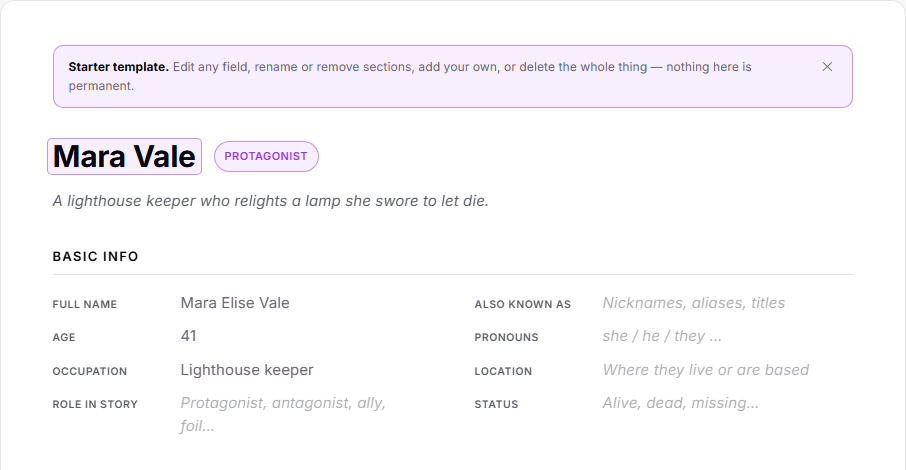
Creating a character or research note now offers a ready-made template: a clean, structured sheet with sections for the things you actually track — a character's basics, personality, relationships, goals and arc; a research note's summary, key facts, sources and open questions. Prefer a blank page? That's still one click away.
Every part of a sheet is yours to shape. Edit any field, rename a section, remove the ones you don't need, or add your own — nothing is fixed.
And your sheets aren't trapped in the app: export any character or research note to PDF, Word, ePub, or Markdown and it comes out looking just like it does on screen, headings and all.
How to use it
In the binder, right-click a Characters or Research folder (or use the + button) and choose New Character or New Research. A small prompt asks whether to start from the template or a blank document.
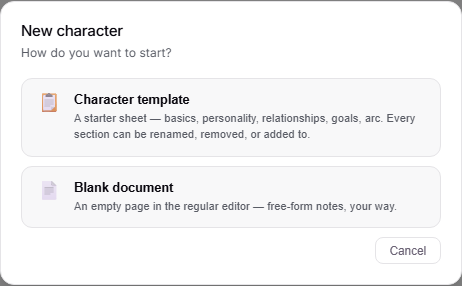
Pick the template to get the structured sheet. Click any field to fill it in, click a section title to rename it, and use "Remove" on a section or "+ Add section" at the bottom to reshape it. Lists like Relationships, Key Facts and Sources have their own "+ Add" buttons.
To export a sheet, right-click it in the binder and choose Quick Export, then pick PDF, DOCX, ePub, or Markdown. Only the parts you filled in are included — empty fields and hints are left out.