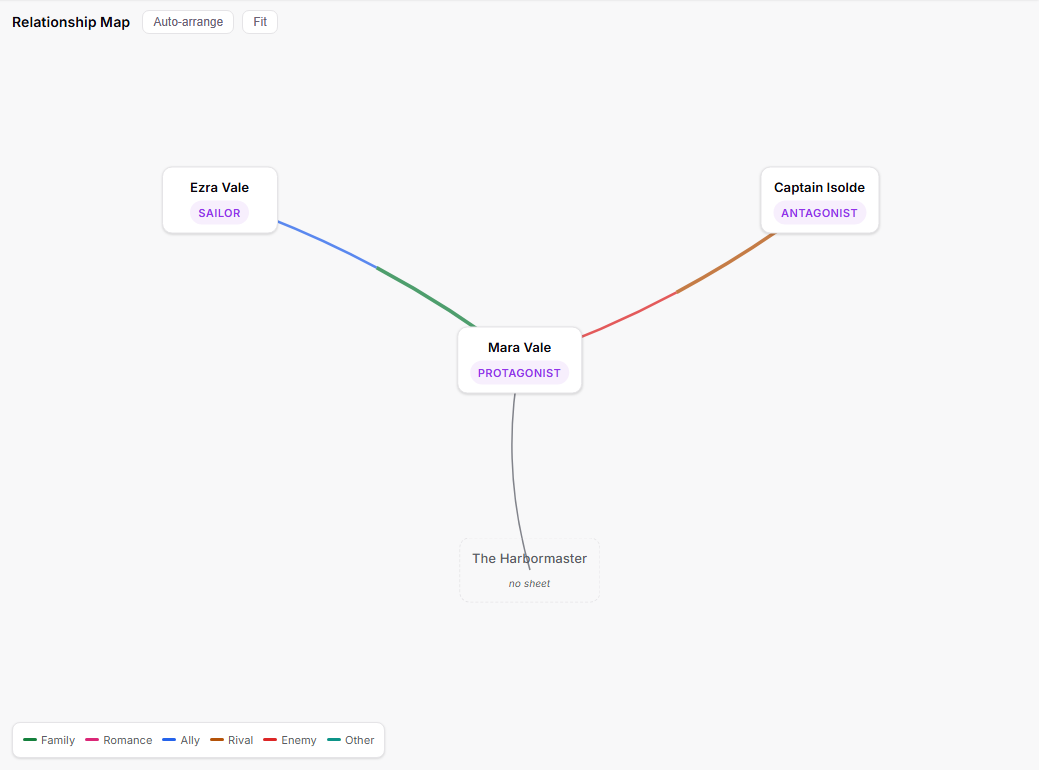
Meet the Relationship Map: a new view that draws your whole cast as a living web. Every character becomes a card you can drag around, and the relationships you note on their sheets become colored lines between them — family, romance, ally, rival, enemy — with thicker lines for stronger bonds.
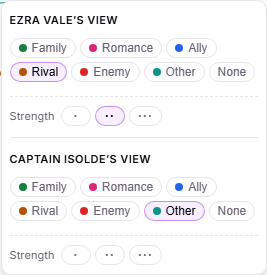
Relationships aren't always mutual, and the map knows it. If one character calls someone a friend but she considers him a rival, the line splits down the middle — each half colored by how that character sees it. You can build the web right on the map, too: drag the small + handle from one character onto another and both sheets get the relationship, with a quick picker to tag each side's view. People you mention but haven't given a sheet yet appear as dashed ghost cards, one click away from becoming real characters.
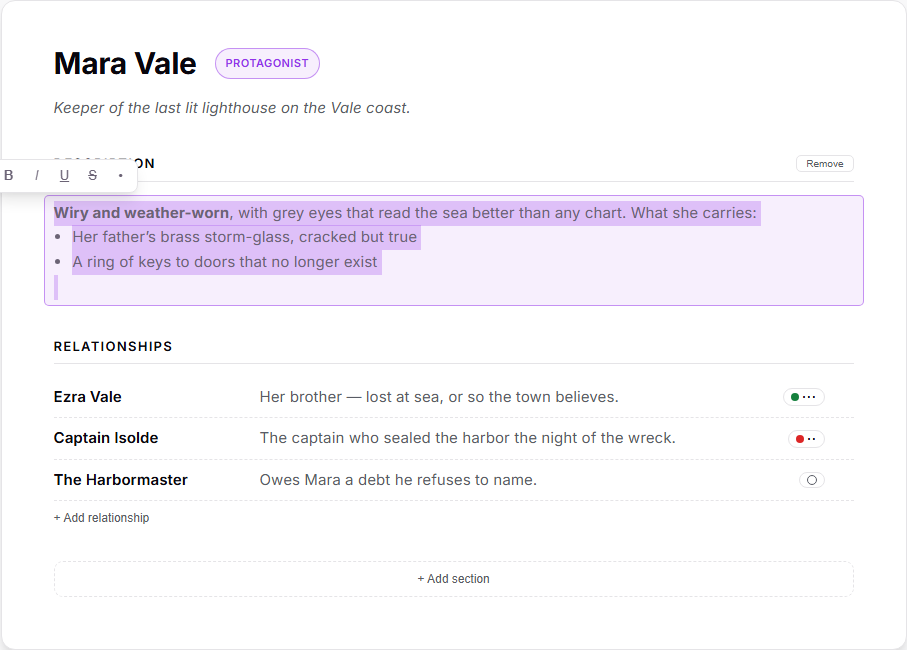
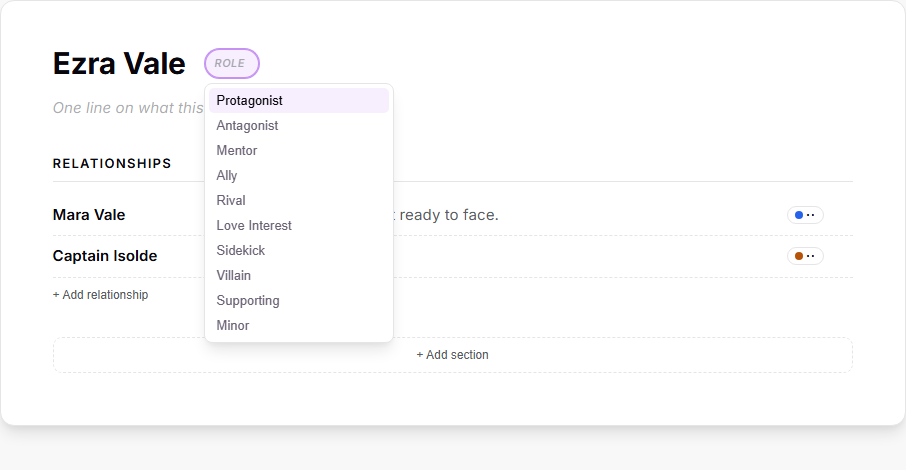
Character and research sheets also learned proper formatting along the way. Line breaks now survive exactly as you typed them, you can style text with bold, italic, underline and strikethrough, and a dash makes a real bullet list — all of it carried through to every export and share link. The Role pill got smarter too: click it and pick from common roles like Protagonist, Mentor or Villain, or just keep typing your own.
How to use it
Open any project and click Map in the view switcher at the top of the screen, next to Corkboard. Your characters appear as cards — drag them to arrange the web however you like (the layout is saved), scroll to zoom, and drag the background to pan. Click a card to see that character's relationships in a side panel; double-click to jump straight into their sheet.
To connect two characters, hover over a card and drag the small + handle at its edge onto another character. Both characters get the relationship on their sheets, and a picker opens so you can tag how each of them sees it — family, romance, ally, rival, enemy or other — plus a strength from one to three dots. The two sides can disagree, and the line wears both colors, meeting in the middle.
Relationships you type on a character's sheet feed the same map. Start typing a name in the Relationships section and a suggestion list offers your other characters — pick one to link them. The small chip at the end of each row sets that row's tag and strength. Names that don't match a character appear on the map as dashed ghost cards; select one and choose Create character sheet to turn them into a full character with their connections intact.
Sheets keep your formatting now, too: press Enter for real line breaks, select text to style it with the little toolbar that appears, and start a line with a dash and a space for a bullet list — everything carries into your exports and beta-reader links. Setting a role is also quicker: click the Role pill beside the character's name and pick from common roles like Protagonist, Antagonist or Mentor. The list filters as you type, anything you write yourself is kept exactly as typed, and research notes get the same helper on their Tag pill.