You can now send your work to beta readers — no account required on their end. Click the new Share button in the top bar, pick the chapters and scenes you want to include, and Insanitomeium creates a private link you can send to anyone.
You stay in control the whole time: set the link to expire after 7, 30, or 90 days (or never), add an optional password, and revoke any link whenever you like from the Share window.
How to use it
Open the project you want to share, then click the Share button in the top bar.
Tick the chapters and scenes your reader should see, choose how long the link stays active (7, 30, or 90 days — or never expires), and add a password if you want an extra lock on the door.
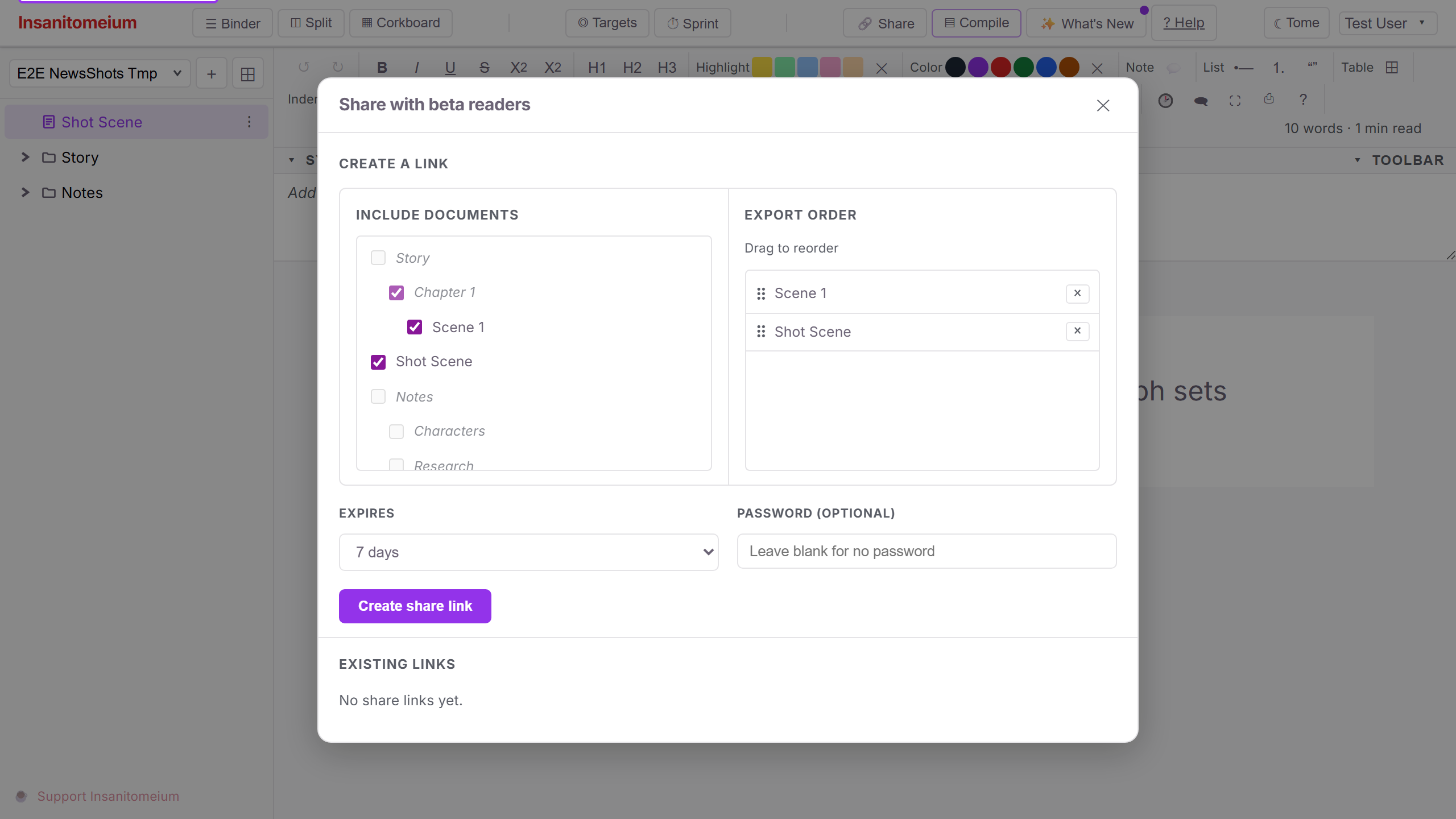
Click to create the link and copy it right away — for security it is shown only once. Send it to your reader; they can open it in any browser without creating an account.
To cut off access later, open the Share window again and revoke the link. The window also shows how many times each link has been viewed and when it was last opened.