Two characters on the relationship map can now have more than one relationship at a time, such as rivals who are also falling in love. Each one gets its own coloured line between them, and clicking any line opens an editor with a tab for every relationship the pair shares.
Dragging between two characters who are already connected now adds a new relationship instead of quietly changing the first one, dragging onto empty space creates a new character, and a relationship can be removed from the editor. Promoting a dashed character to a real character sheet brings their relationships with it: the new sheet starts with a row for each character who mentioned them, already linked and tagged.
How to use it
Click Map in the view switcher, then drag from one character to another. The relationship editor opens with each character’s view of the relationship. Pick a type and strength for one side or both. Drag onto an empty part of the map instead and you can name a new character, who appears there with a character sheet, already linked.
To add another relationship between the same two characters, drag between them again, or choose the + New tab in the editor. Nothing is added until you pick a type, so pressing Escape leaves everything as it was. The line then fans out into one arc per relationship type, and the character’s panel shows a colour swatch for each one.
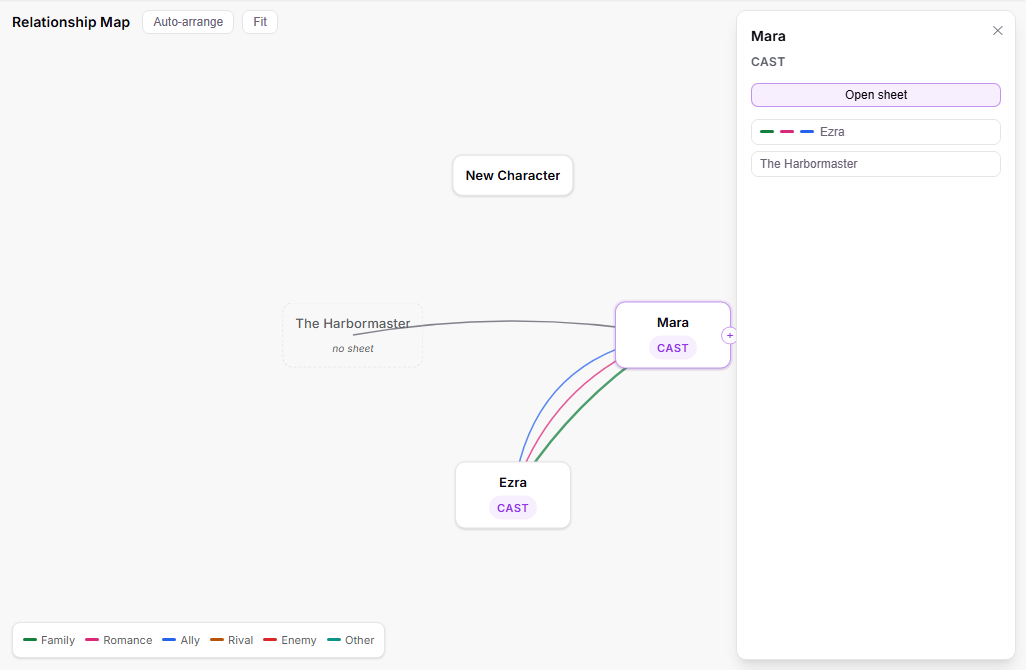
Click, tap or right-click any line to open the editor on the relationship that line shows. Each relationship has its own tab, with both characters’ views side by side, and every pick saves straight away.
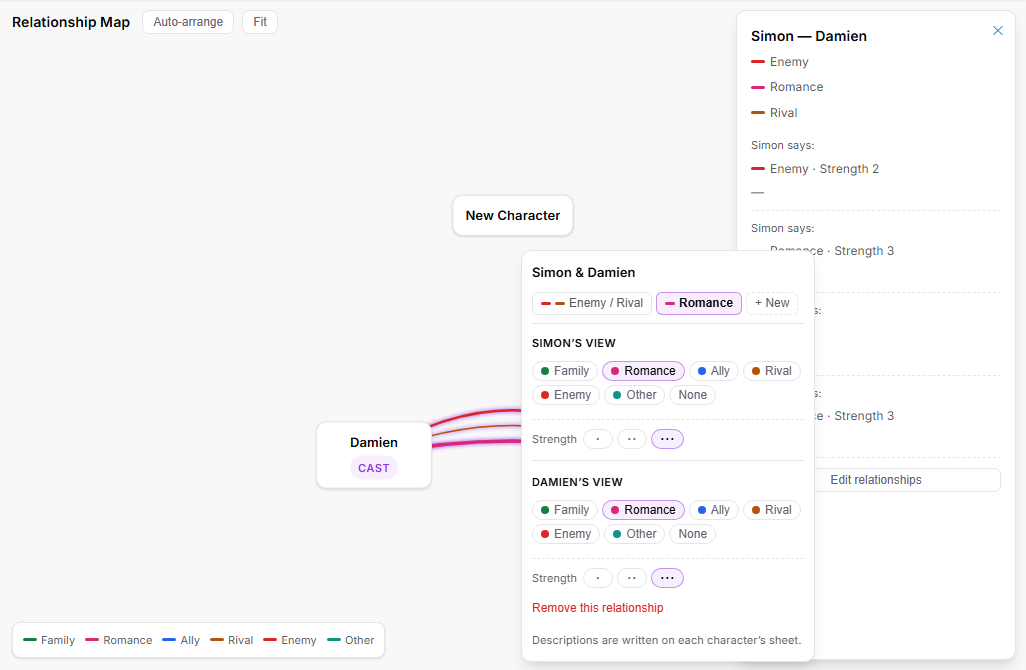
To take a relationship away, choose Remove this relationship on its tab and confirm. It comes off both characters, along with anything written about it on their sheets.
To write about each relationship, open the character’s sheet: every relationship is its own row in the Relationships section, with its own description.
For a dashed character (someone named in a relationship who has no sheet yet), click them and choose Create character sheet. The new sheet opens with those relationships already filled in, ready for you to write their side.