Your Profile now counts the words you remove as well as the words you add, so a day spent editing shows up as work, not as a blank. Words Added, Words Removed and Net Words sit side by side for the year.
Writing Pace shows both at once: added words rise above the line and removed words hang below it. Switch between the last 30 days, the last 90 days, or the whole year week by week.
A day where you only cut still keeps your writing streak going. And the little ⓘ beside Typing Speed now explains how that number is worked out.
How to use it
Open the account menu in the top-right corner and choose Profile. Words Added, Words Removed and Net Words are at the top, for the year you are looking at.

Scroll to Writing Pace. Choose 30 days, 90 days or 12 months above the chart. Tap or hover over a bar to see what you added, what you removed and the difference.
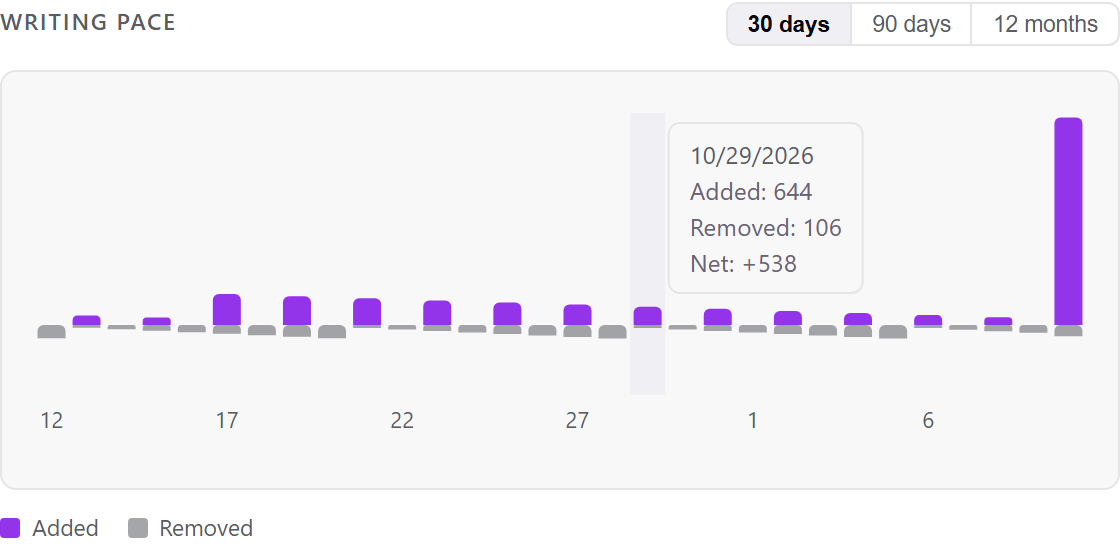
Removed words are counted from today, so earlier days show none.
If you have Don’t count pasted text as progress turned on, cutting and pasting count as neither. With it off, a cut counts as removed and a paste as added.