There are four new looks: Paper, High contrast, Forest and Cotton Candy. Pick any of them from the new Appearance menu in the top bar, and the whole app changes at once.
Or make your own. Choose five colours, a light or dark base, and a name, and watch the app change as you go. If a colour makes text hard to read you’ll be told, but it’s your screen and you can keep it. Save up to five.
How to use it
Click the half-filled circle near the top right. A list of themes opens; click one to switch. On a phone, open the ··· menu and look under Appearance.
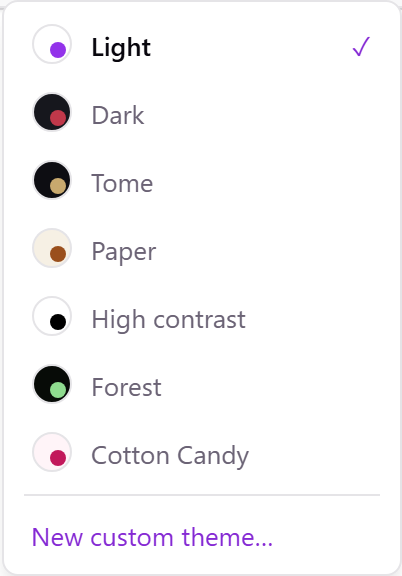
To make your own, choose New custom theme… at the bottom of the list. Name it, pick a light or dark base, and set the background, text, muted text, fields, and accent colours.
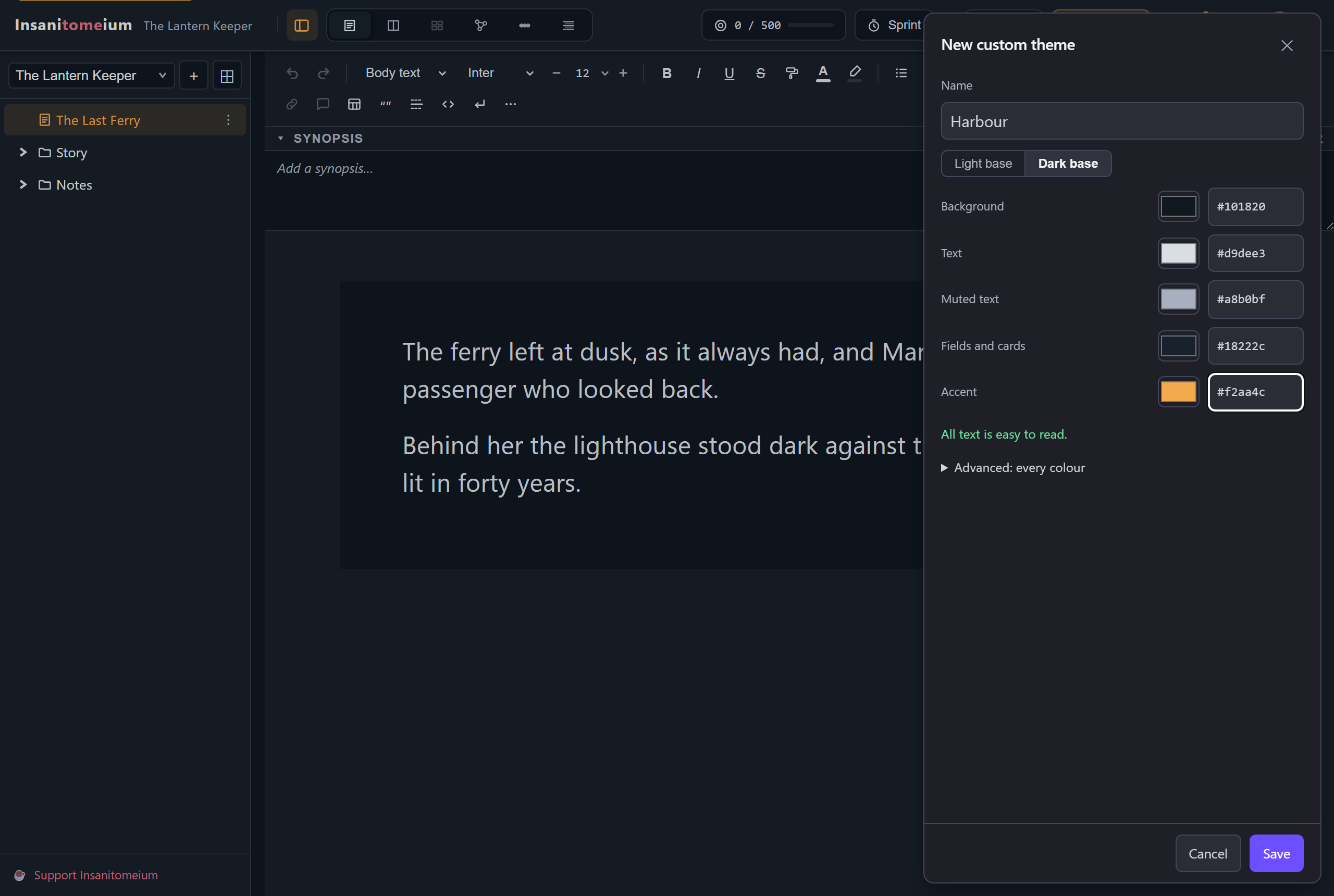
Anything hard to read is pointed out with its contrast ratio. Advanced lets you fine-tune every colour worked out from your five.
Your custom themes appear in the same list. While one is on, Edit this theme… lets you change or delete it.