Sprints no longer open a bar that pushes your page down. Click Sprint in the top bar, pick a length, and the sprint starts straight away. The button itself becomes the timer: it fills up as time passes and shows the countdown and the words you’ve written.
Click it during a sprint to see how far you’ve got, your words per minute, and to pause, restart or end it. When time is up the button turns green and shows what you wrote.
How to use it
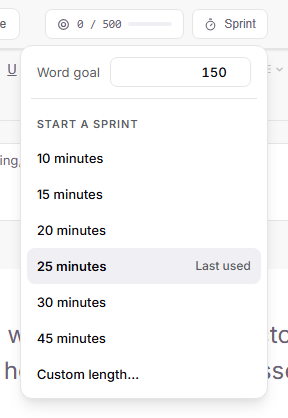
Click Sprint in the top bar. If you want a word goal, type it at the top of the menu. Then pick a length, or choose Custom length… to type your own. The sprint starts as soon as you pick one, and your last length is marked Last used.
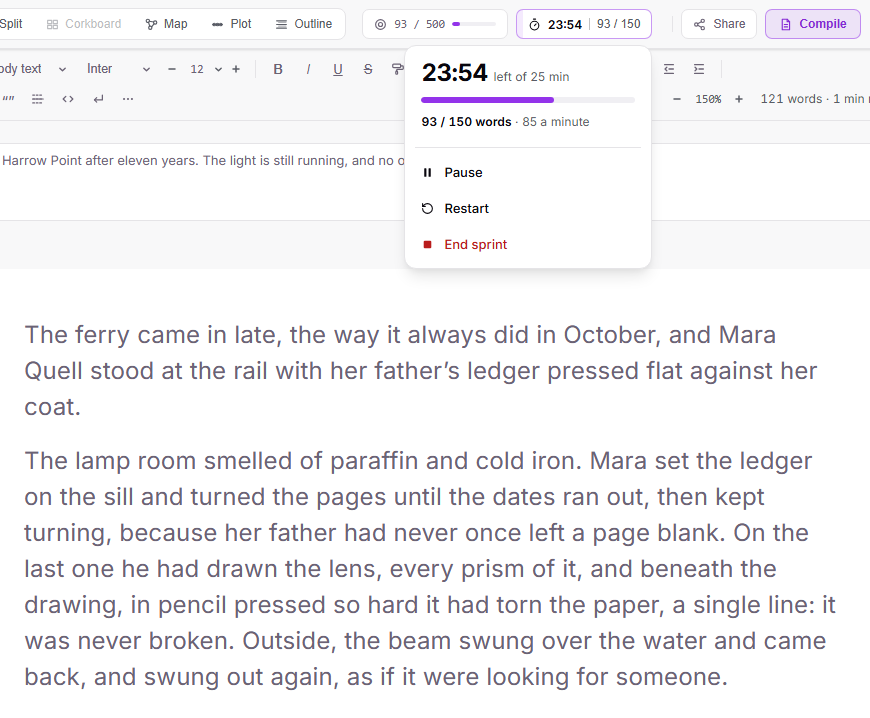
Keep writing. The Sprint button fills from left to right as the minutes pass and shows the time left and your words against the goal.
Click the button at any time to open the controls. You’ll see the time left, a bar toward your goal, your words per minute, and Pause, Restart and End sprint.
On a tablet held upright, start a sprint from the ··· menu under Writing sprint. Once it’s running, a small countdown appears in the top bar.