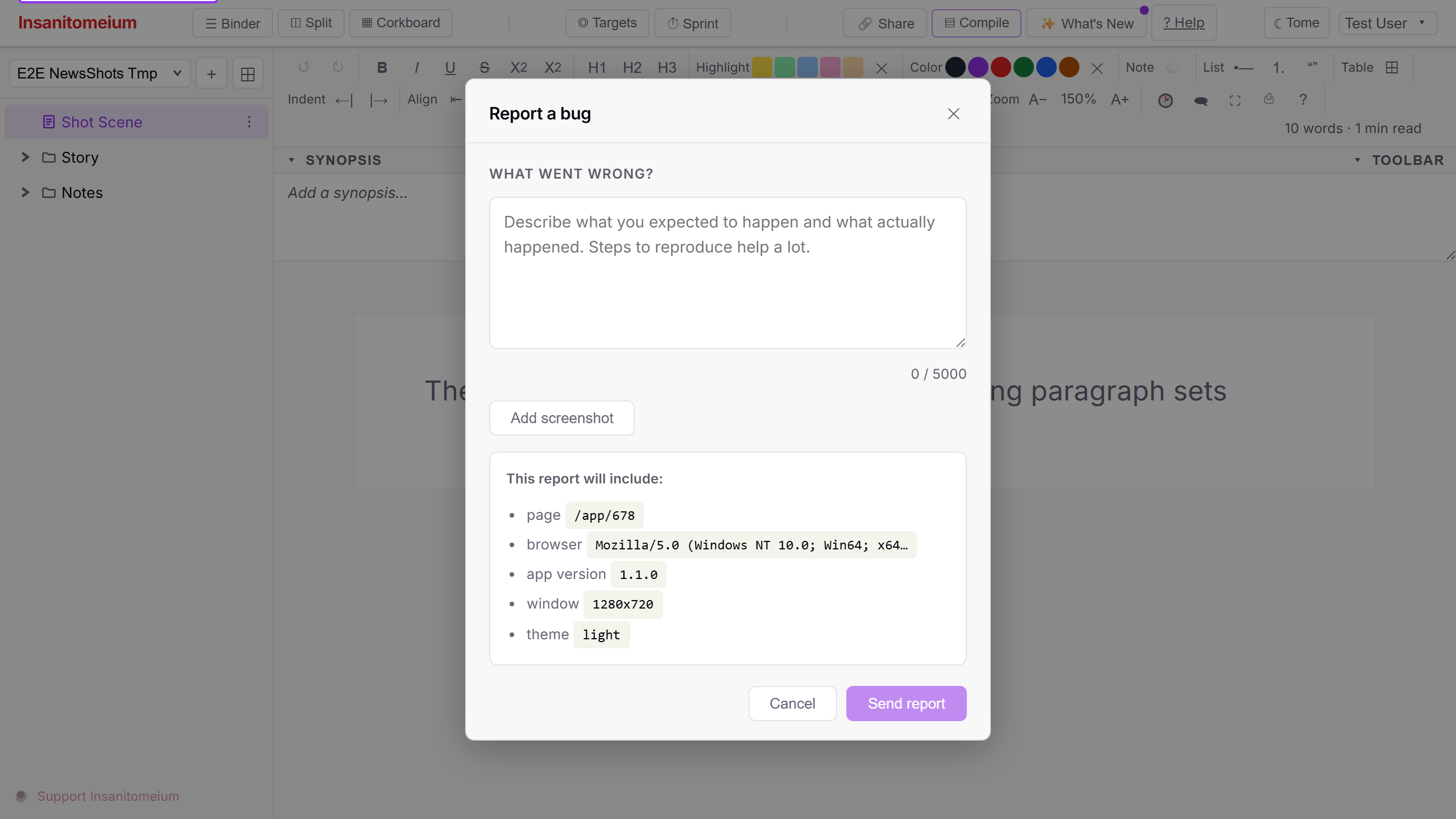
Something not working the way it should? Open the Help menu (the ? icon) and choose "Give feedback" (originally labeled "Report a bug") to send us a description — and up to three screenshots — without ever leaving your manuscript.
Your privacy is built in: screenshots are automatically scrubbed of hidden photo data (like camera and location details) before they leave your browser, and the report tells you exactly what it includes before you send it. We read every report.
How to use it
Open the Help menu (the ? icon in the top-right corner of the app) and choose "Give feedback". (When this feature first shipped the button was labeled "Report a bug" — same window, friendlier name.)
Describe what went wrong in your own words — what you were doing, what you expected, and what happened instead. The more specific you can be, the faster we can track it down.
If a picture helps, attach up to three screenshots. Hidden photo data such as camera details and location is stripped automatically before anything leaves your browser.
Before you send, the form shows exactly what your report will include — the page you were on, your browser, and the app version. Press "Send report" when you are ready. We read every report.